
Manual transactions in WishList LMS allow administrators to give access or add transaction records without real payments. Consequently, this feature makes it easier for special cases and administrative tasks. Additionally, it streamlines the process, ensuring that exceptions can be handled efficiently.
This document outlines when to create manual transactions and how to do so effectively. By understanding this process, you can not only maintain good records but also manage access for members more efficiently.
When to Create Manual Transactions
There are two main reasons for creating transactions manually in WishList LMS management.
- The first situation is, firstly, giving users direct access without needing to pay. This approach is particularly useful for promotions, staff accounts, or special cases. Additionally, it allows for greater flexibility in managing user access.
- The second scenario, on the other hand, deals with missing transaction records in recurring subscriptions. Sometimes, for instance, payment systems don’t automatically record transactions. Consequently, manual help is needed to keep records accurate.
Creating Manual Transactions for New Access
Follow these steps to grant membership access through manual transaction creation:
- Navigate to Dashboard > WishList LMS > Transactions.
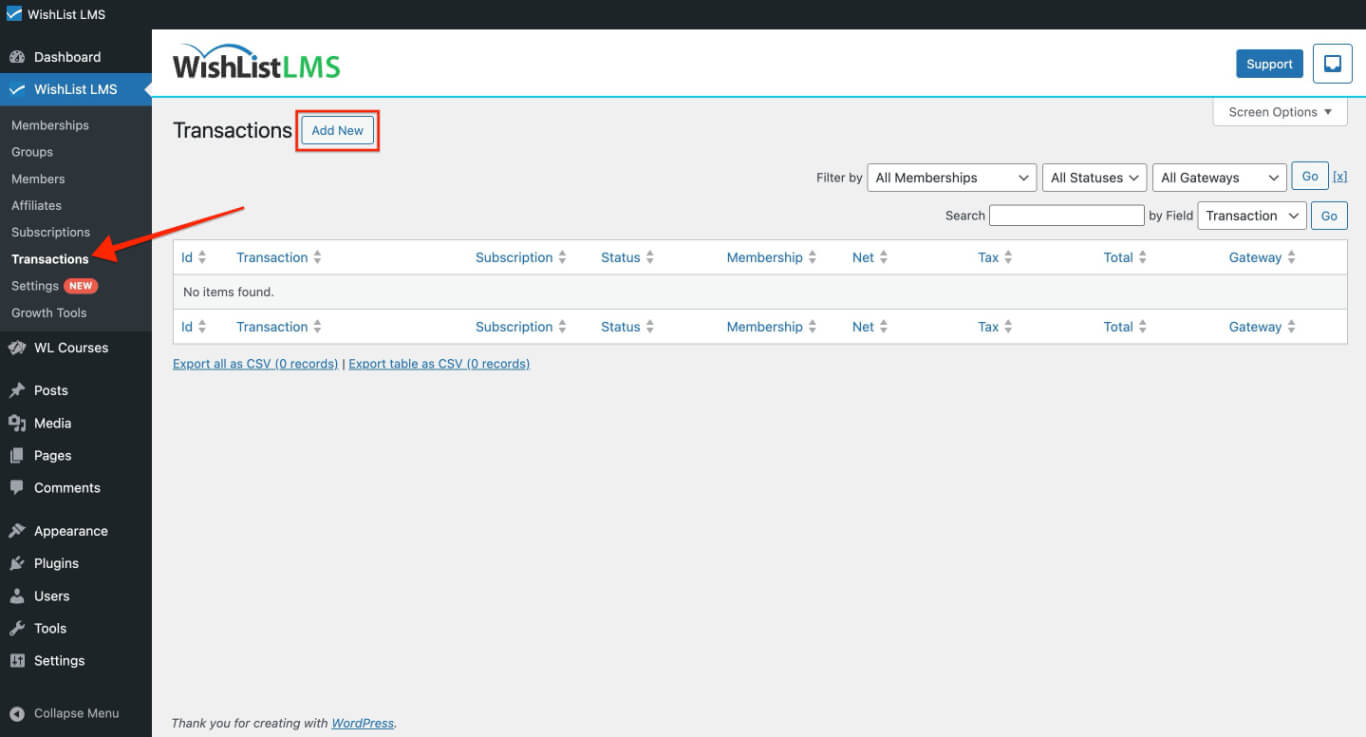
- Click the Add New button at the top of the page.
- Keep the auto-generated Transaction ID unchanged.
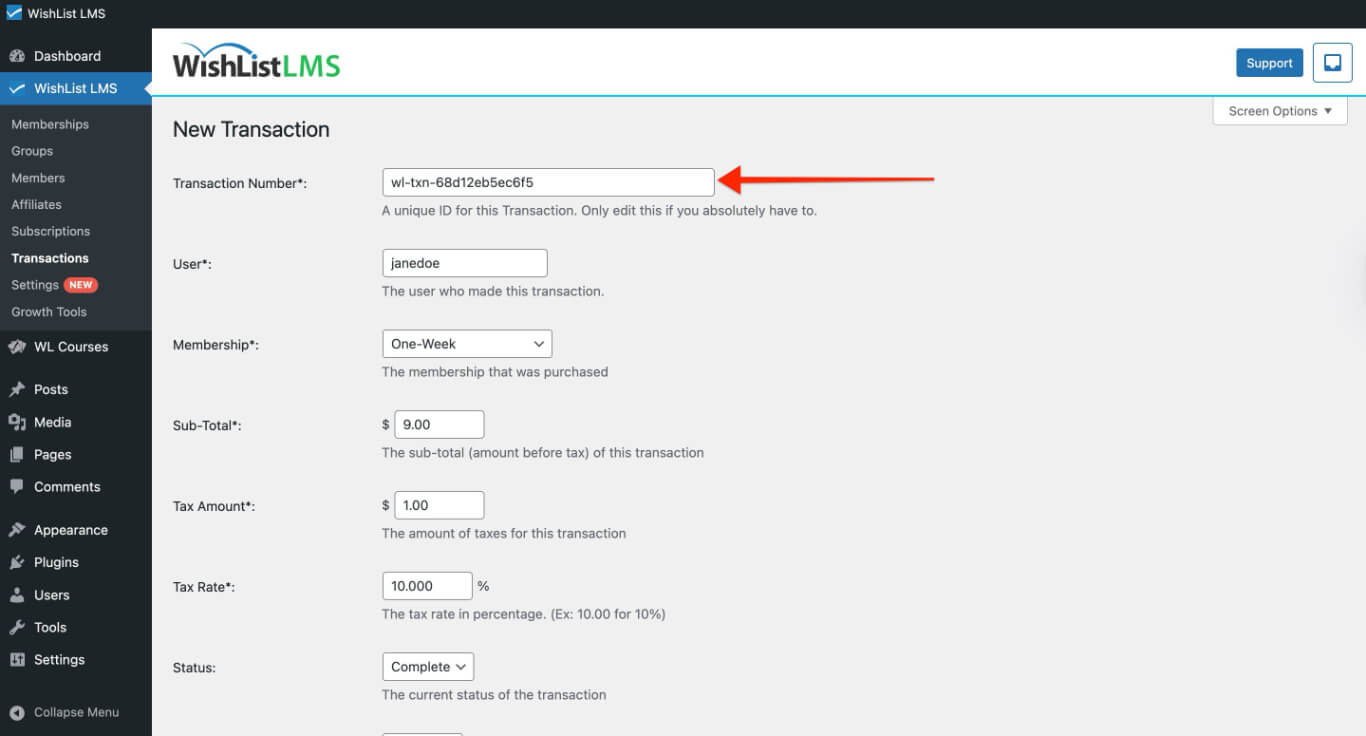
- Select the target user by typing their username in the user field. Available options appear automatically.
- Choose the appropriate Membership level for this transaction.
- Enter the transaction amount. Set this to $0.00 since no billing occurs, or use the membership price for record-keeping purposes.
- Set the transaction Status to Complete to activate user access immediately.
- Leave the Gateway field set to Manual.
- Keep the Subscription section empty for standalone transactions.
- Set the Created Date to the desired transaction date. Past dates are acceptable, but future dates are not permitted.
- Configure the Expiration Date to determine when membership access ends.
- Click Create to finalize the manual transaction.
After selecting a membership level, the user quickly gains access to protected content. Moreover, WishList LMS manages this process just like any other payment for access.
Adding Transactions to Existing Subscriptions
Use this process to add missing transaction records to active recurring subscriptions:
- Navigate to Dashboard > WishList LMS > Subscriptions.
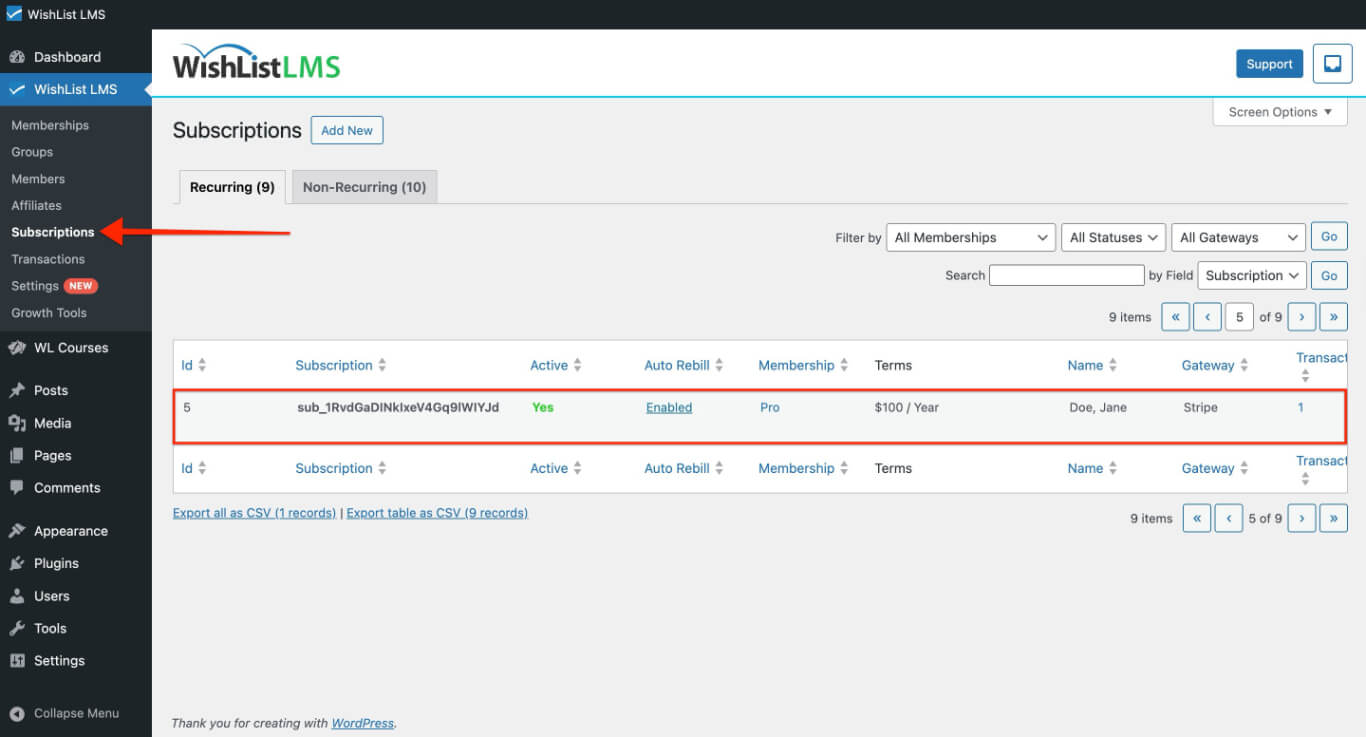
- Locate the target subscription using the search functionality.
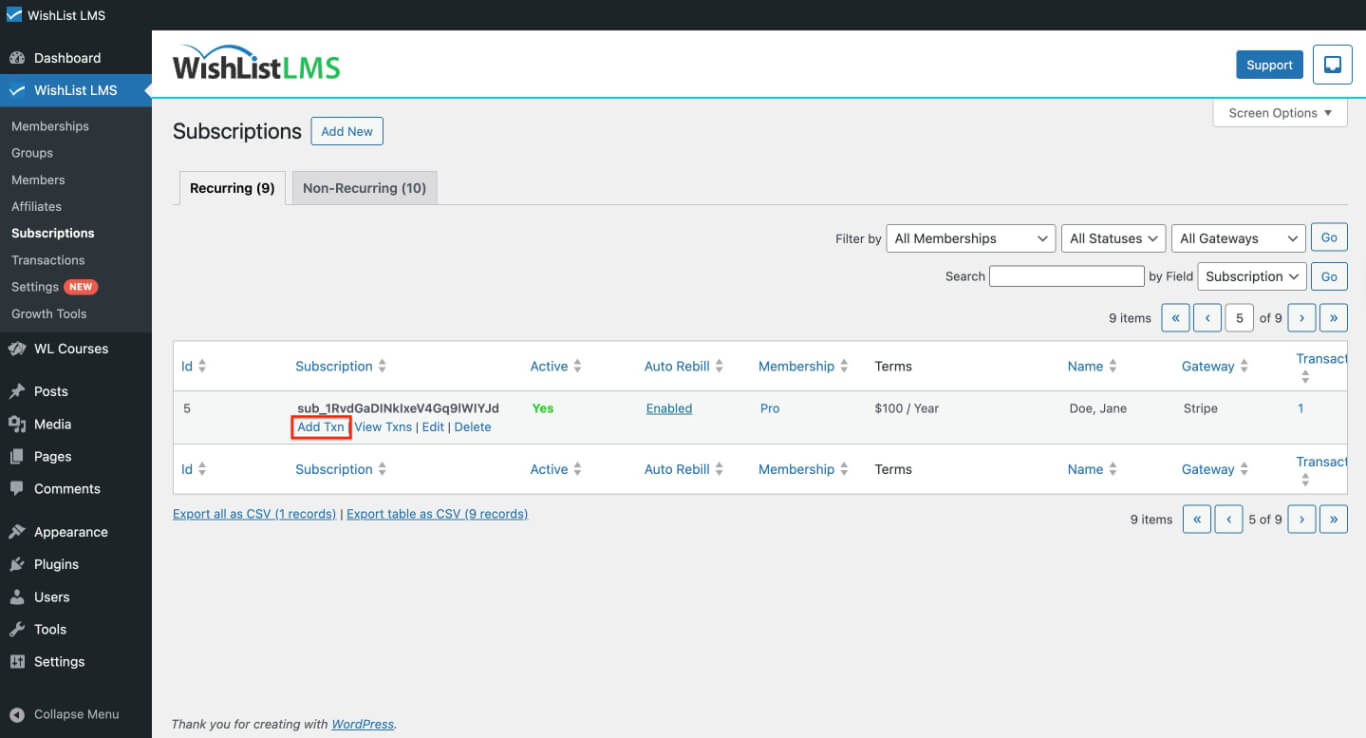
- Hover over the subscription’s unique ID and click the Add Txn link.
- Enter the Transaction ID from the payment gateway processor. Use the auto-generated ID if temporary access is granted without gateway correspondence.
- Select the appropriate Membership level for this transaction.
- Enter the actual billed amount. Remember that no charge process occurs during manual transaction creation.
- Set the transaction Status to Complete for immediate access activation.
- Choose the correct Gateway from the available options on your site.
- Verify the Subscription ID field remains unchanged from the pre-populated value.
- Set the Created Date to match the actual transaction occurrence date.
- Configure the Expiration Date to match gateway records or the next billing cycle date for recurring payments.
- Click Create to complete the manual transaction addition.
This process not only keeps subscriptions going, but it also ensures that transaction records are correct for reports and managing members.
Important Considerations
Manual transactions offer flexibility; however, they need careful handling. Consequently, they show up in all WishList LMS reports and member dashboards alongside gateway payments.
Members’ access through manual transactions expires just like standard transactions; consequently, they lose access when the expiration date passes, unless they renew their subscription. To pay, users should therefore complete the registration using WishList LMS payment forms.
Furthermore, the manual transactions are mainly for keeping records and managing access, rather than for collecting payments.