
FPX is a Malaysian service that allows customers to pay online using their bank login details. It is run by the Malaysian Electronic Clearing Corporation, which is part of the Central Bank of Malaysia.
WishList LMS works with Stripe to accept FPX payments. This guide explains how to set it up on your membership site.
Requisitos previos
To enable FPX payment with WishList LMS, make sure all necessary elements are set up first.
- Your website needs an SSL certificate to handle payments securely. Also, you must have a verified Stripe account with linked bank details and set to Malaysia for FPX payments;
- Connect Stripe to WishList LMS on your website before you continue;
- Fije el currency a MYR in WishList LMS settings from Dashboard > WishList LMS > Settings > General tab so FPX works, since it only accepts Malaysian Ringgit.
Setting Up FPX Payments
FPX works through the WishList LMS connection with Stripe. First, enable FPX in your Stripe Dashboard:
- Log in to your Stripe Dashboard.
- Ir a Settings > Payment Methods.
- Locate FPX and click Encender.
- Complete any verification steps Stripe requires.
Next, activate the option in WishList LMS by following these steps to turn on FPX payments:
- Vaya a Dashboard > WishList LMS > Settings > Payments tab.
- Locate your Stripe gateway.
- Haga clic en el botón Customize Payment Methods botón.
- Alternar en FPX option in the pop-up.
- Haga clic en el botón Actualización button in the pop-up to save changes.
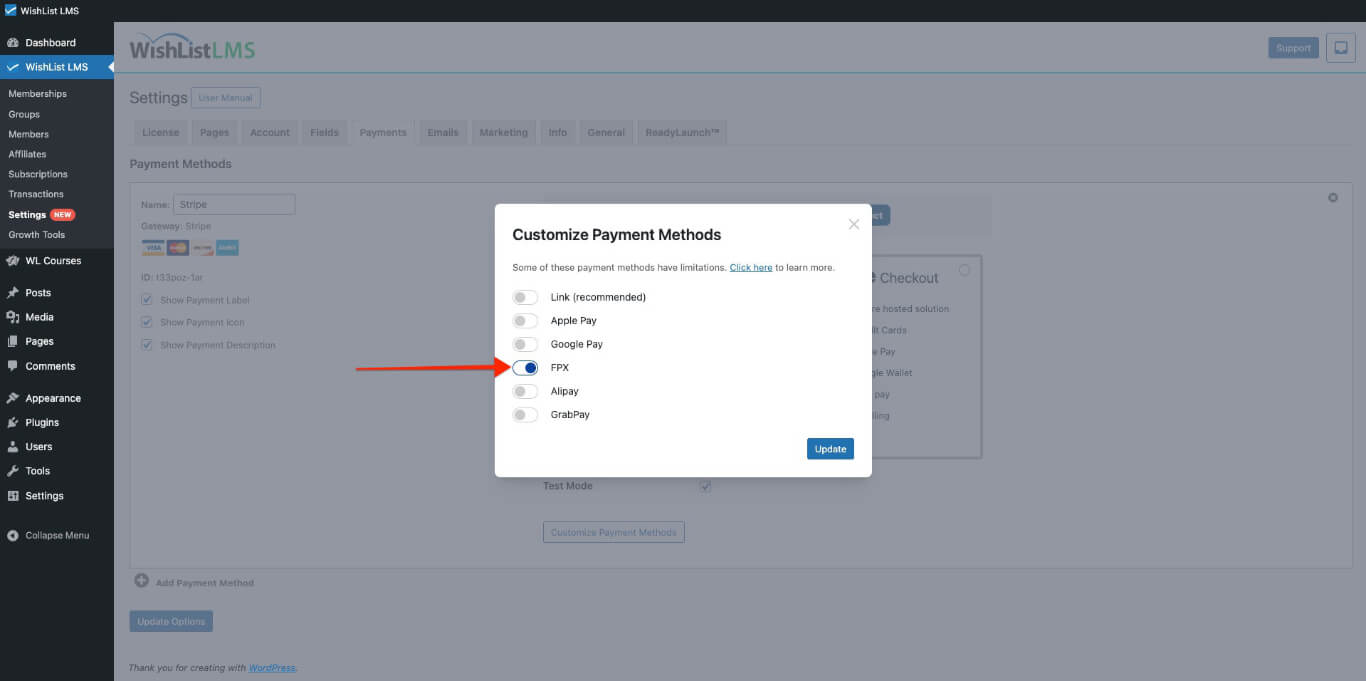
Please check more details on setting this up in the “How To Enable Payment Methods With Stripe and WishList LMS” document.
How FPX Payments Work
Once you activate FPX, you will see it as a payment option on your registration forms. You can use it on both Stripe Pago y Stripe Elementos forms.
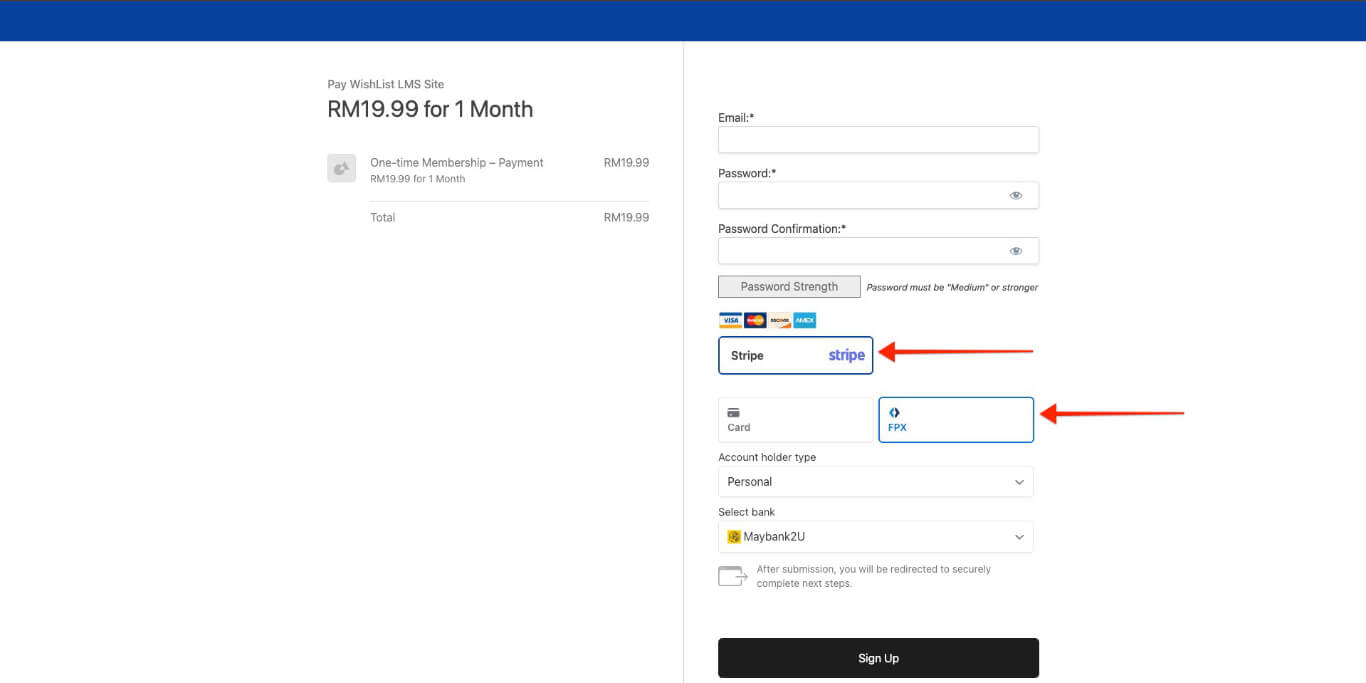
When users fill out a registration form and choose FPX, they log in to their bank’s website to confirm their payment. After they complete the payment, the system automatically takes them back to your site.
Important Limitations and Requirements
The FPX payment option only shows up when certain conditions are met. There are also some rules from FPX and Stripe that need to be followed.
Payment Type Restrictions
FPX is only for one-time payments and isn’t shown on pages for ongoing memberships.
FPX doesn’t support deferred payments, so it’s not available for members with free or trial periods.
Geographic and Currency Limitations
Only people with bank accounts in Malaysia can use FPX. Additionally, your Stripe account must list Malaysia as the country that accepts payments.
The payment must be in MYR (Malaysian Ringgit) in both your Stripe account and WishList LMS settings from Dashboard > WishList LMS > Settings > General tab.
For details on FPX payments, see the Stripe FPX guide.