
WishList LMS plugin and add-ons get updates that improve security, add new features, and make other improvements. Updating them helps keep everything working smoothly with WordPress, themes, and other plugins.
This document shows how to update the WishList LMS plugin and add-ons, both automatically and manually.
Automatic WishList LMS Plugin Updates
The default setting for WishList LMS is to automatically install all updates. You can change this to only update minor updates or turn off updates if needed. To change the settings:
- Go to Dashboard > WishList LMS > Settings General tab.
- Select an option from the Automatic Updates section.
If you turn off automatic updates, you’ll still get notifications about updates for the WishList LMS core plugin or add-ons. You can then choose when to update them.
Observação: It’s best to turn off auto-updates if you’ve made custom changes to WishList LMS on your website. Always check the WishList LMS changelog before updating to avoid problems.
Updating WishList LMS Manually
If automatic updates don’t work for you, you can update plugins manually. Here’s how to update WishList LMS or its add-ons:
- To get the latest version of WishList LMS or its add-on, download the zip file from your account page at
https://wishlistlms.com. - Log in to your website and navigate to Painel de controle > Plug-ins > Adicionar plug-in.
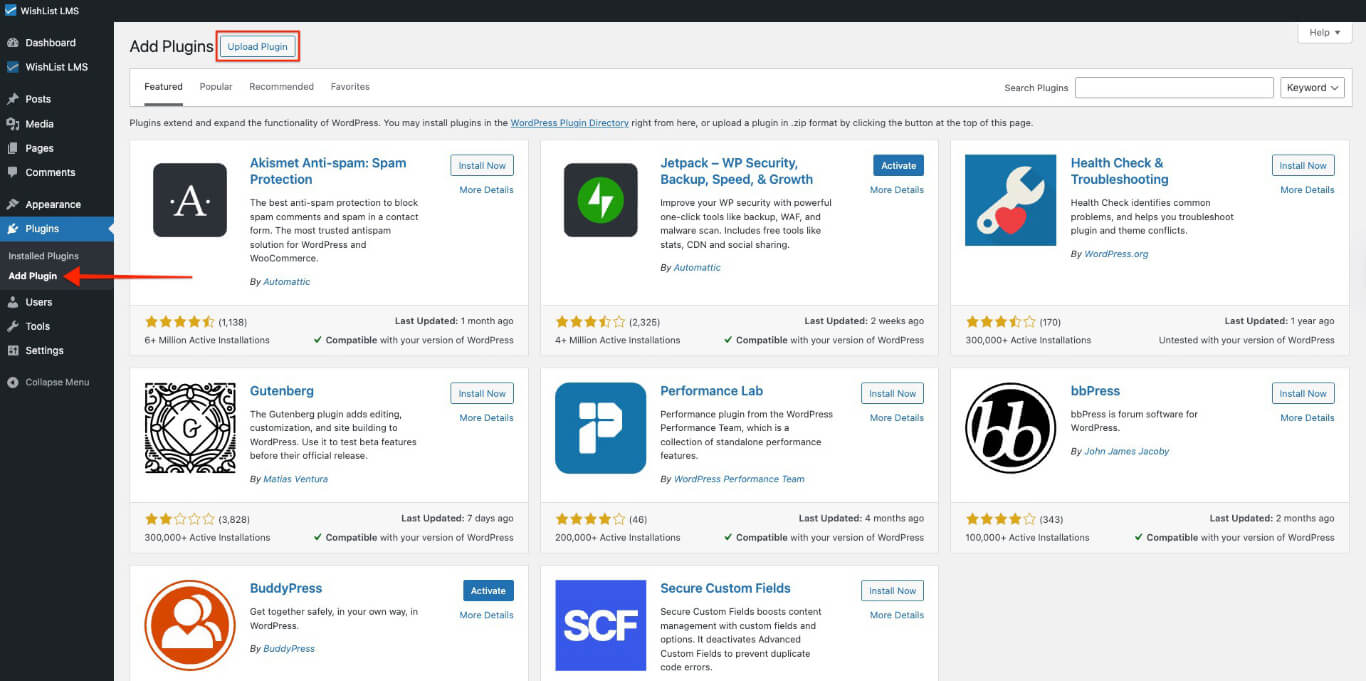
Observação: Only certain users can update plugins. You need to log in with an account that has permission to manage plugins, usually an Administrator.
- Clique no botão Upload Plugin botão.
- Here, click Choose File e select the .zip file you previously downloaded to your computer.
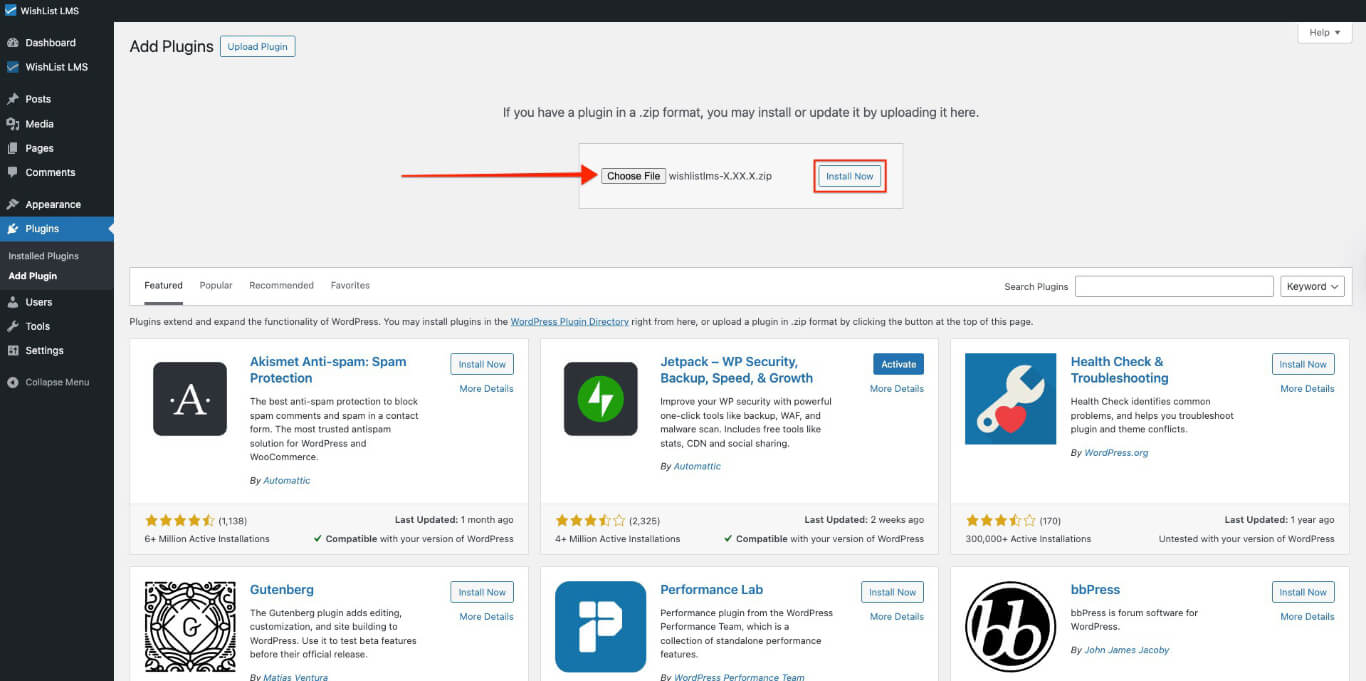
- Clique em Instalar agora to upload and install the new version of the plugin.
- On the next page, click the Replace current with uploaded button. This confirms that you wish to replace the existing plugin version on your website with the new one.
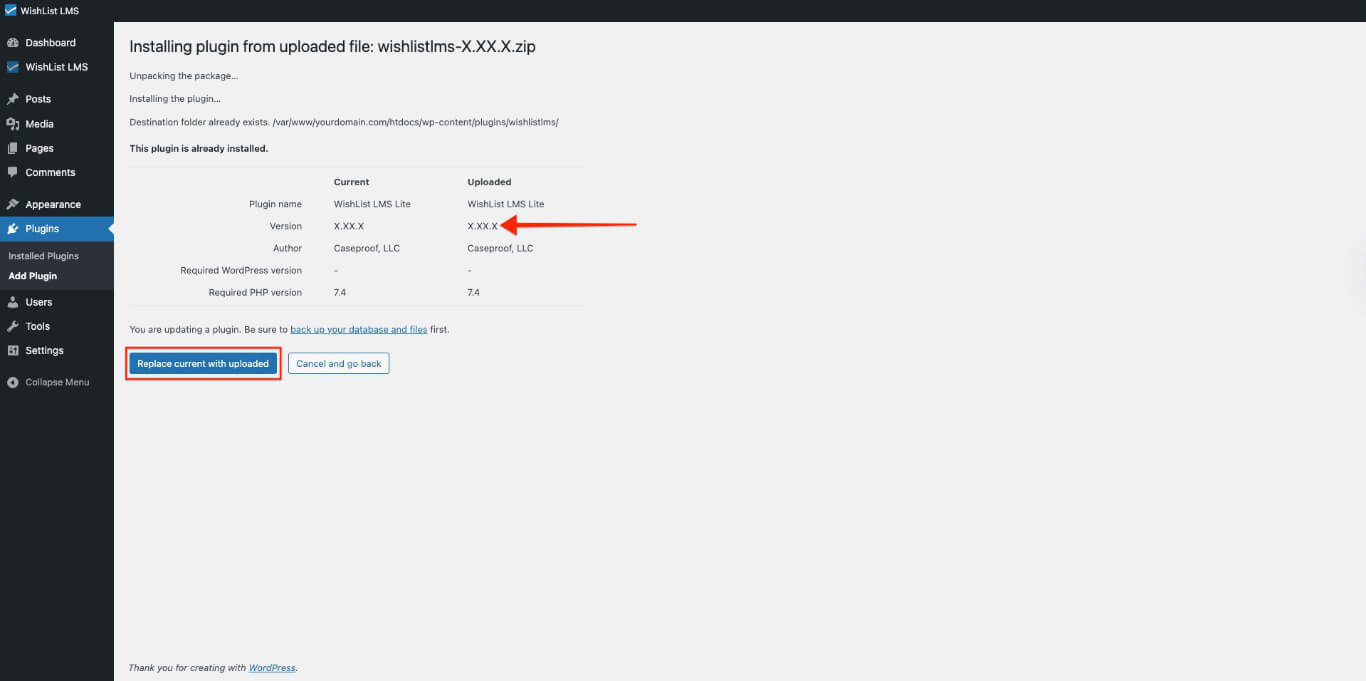
- Once the new version is installed, click Activate Plugin.
Observação: Your wishlist data is stored safely in the database. It won’t be lost when you update the plugin.