
O Payments tab in WishList LMS Settings is where you set up how people pay on your site. It controls which payment options are available and how payments are processed, either manually or automatically with services like Stripe.
This guide will show you how to access and set up these payment options so they fit your needs.
Understanding WishList LMS Payment Gateways
WishList LMS supports both offline and online payment processing. Offline payments require manual transaction management, while online payments are processed automatically through connected payment processors.
The available payment options include:
Each payment gateway needs specific configurations to connect WishList LMS with your chosen payment processor. The setup process changes based on the gateway you select and also depends on your business needs.
Accessing the Payments Tab
The Payments tab contains all payment gateway settings and configurations for your membership site.
- Navegue até Painel de controle > WishList LMS > Configurações.
- Clique no botão Payments tab.
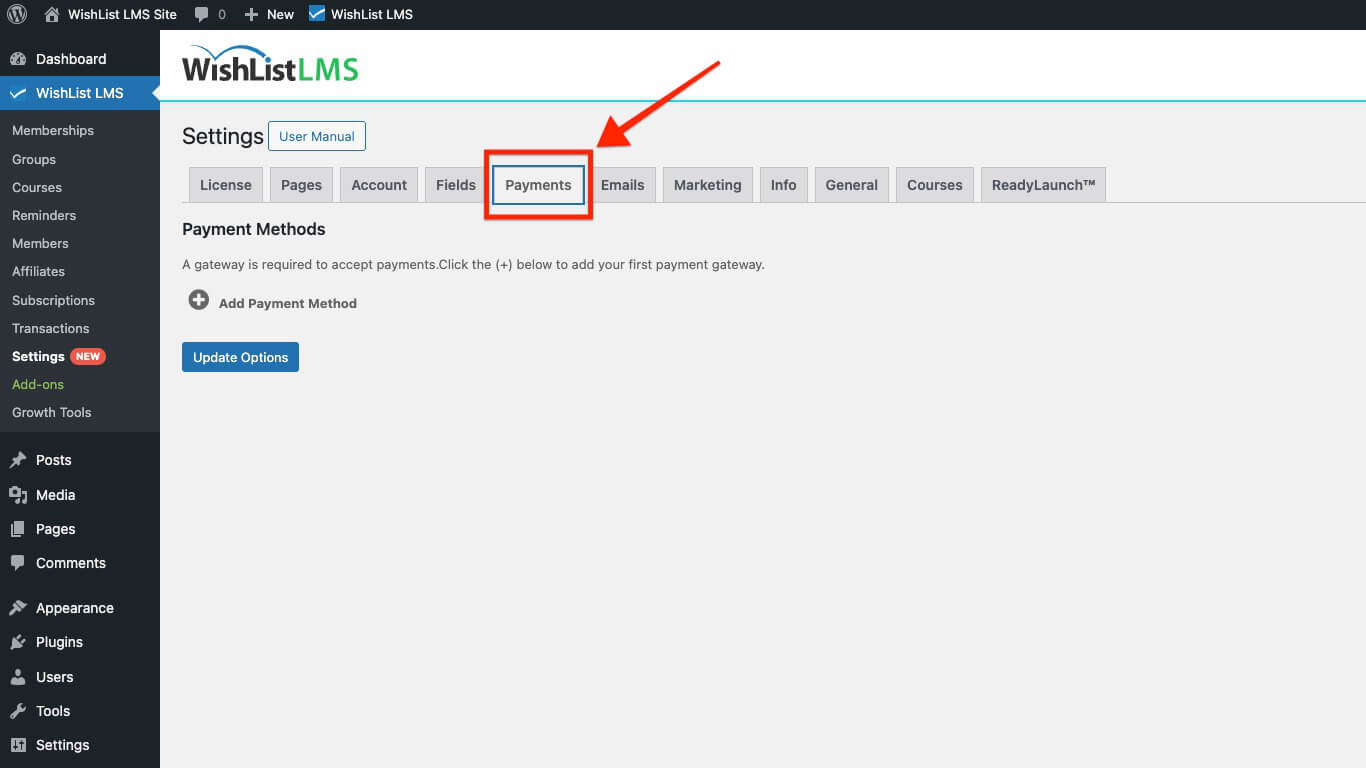
The Payments page shows the payment methods you’ve set up. Additionally, it offers options to add new gateways easily.
Adding Payment Methods
WishList LMS offers various payment methods. This way, you can meet different user preferences and geographic needs.
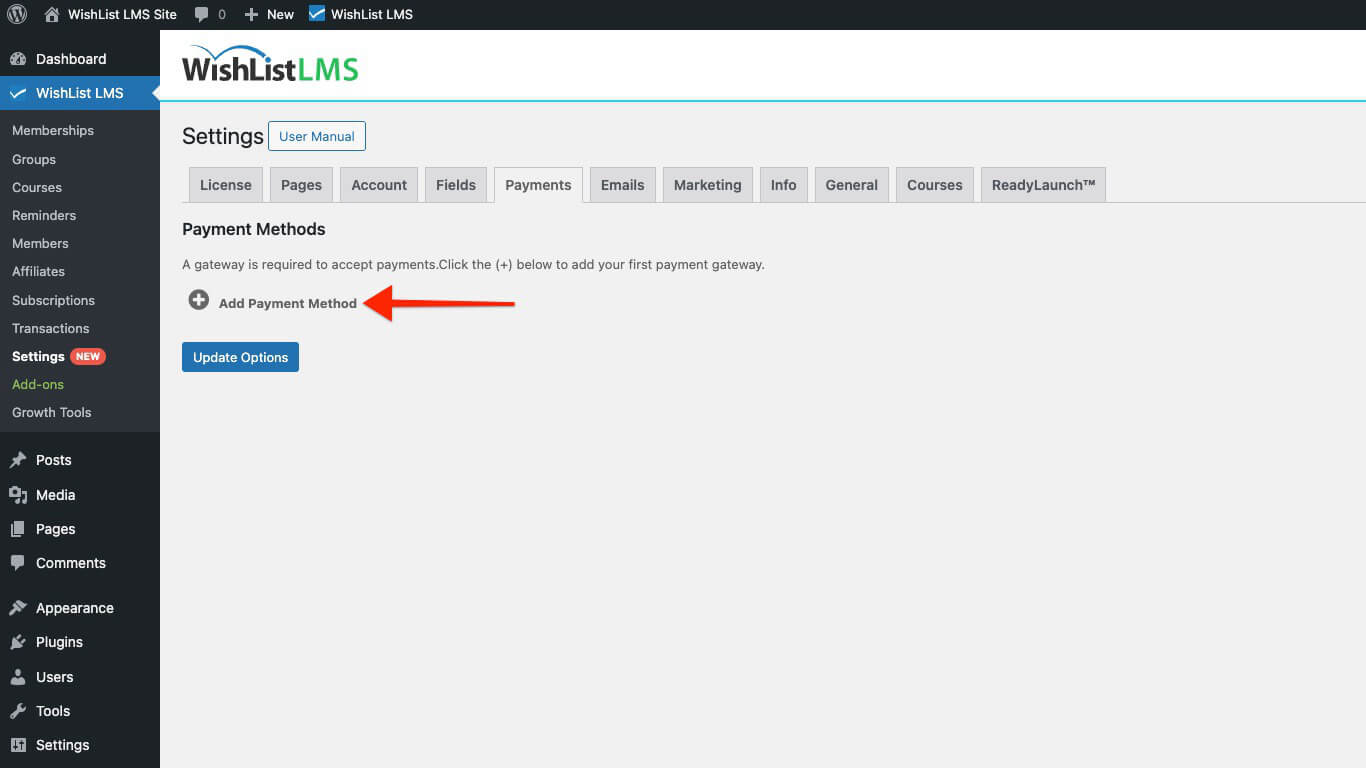
- In the Payments tab.
- Clique no botão +Add Payment Method button at the bottom of the Payments page.
- Select your preferred gateway de pagamento from the available options.
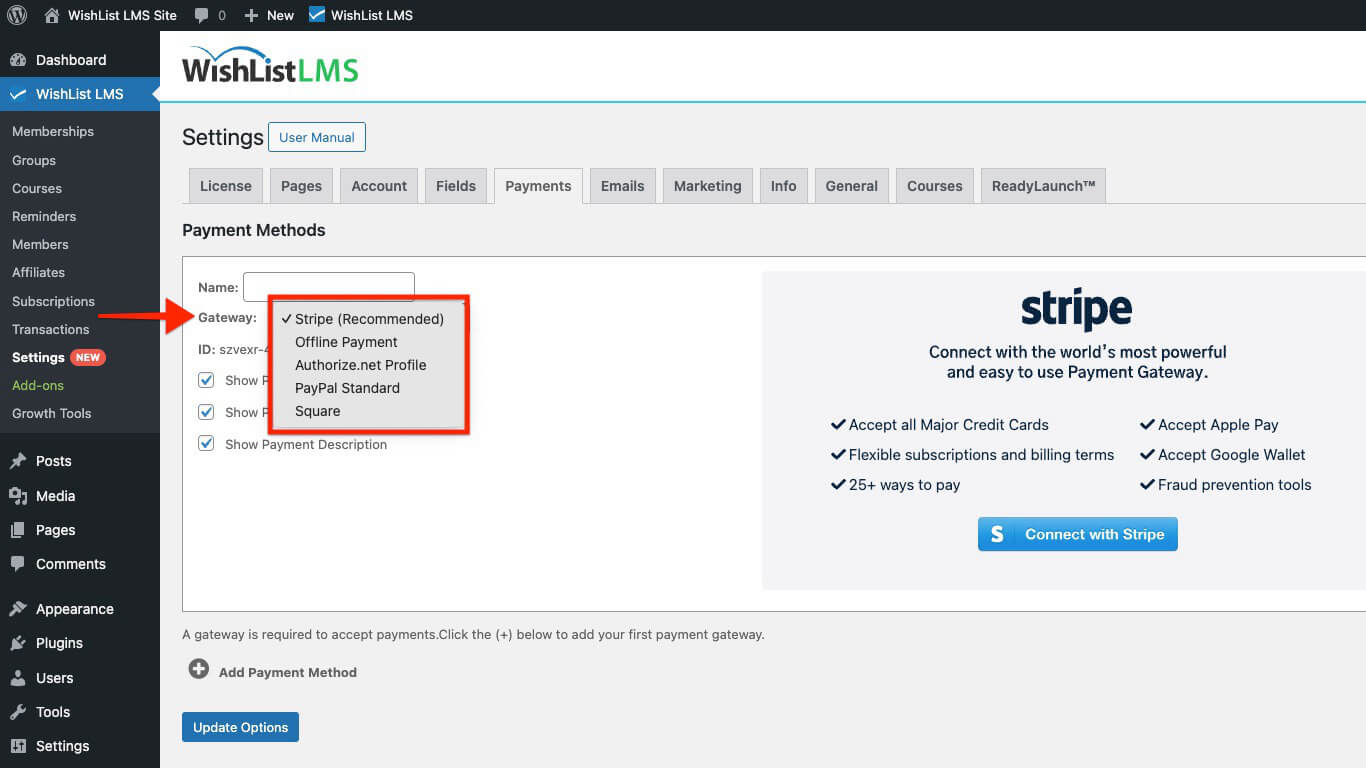
- Configure the gateway-specific settings according to your requirements.
- Clique em Opções de atualização to save your configuration.
Each payment method appears as a separate option on membership registration pages. Users can select their preferred payment method during the subscription process.
Available Payment Gateways
WishList LMS provides several payment gateway options to meet different business needs and user preferences.
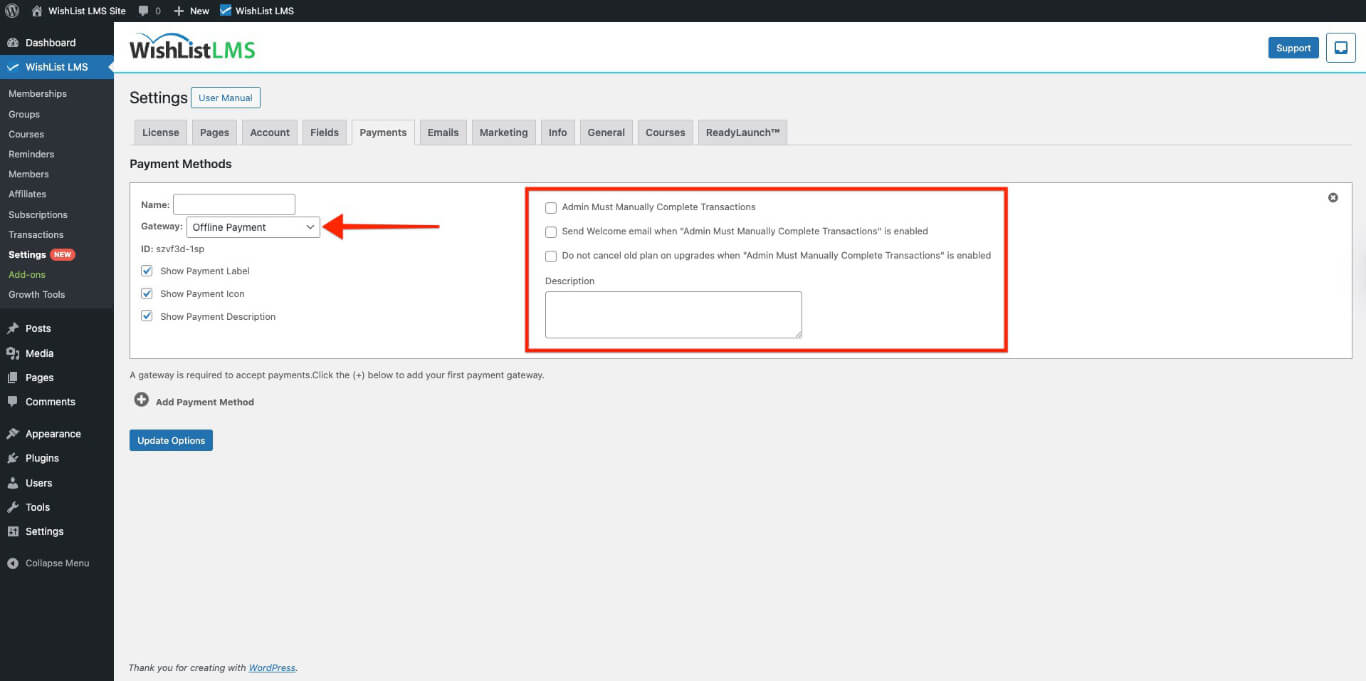
Pagamentos off-line
Offline payments allow users to pay outside your website. For example, they can use bank transfers or checks. However, these methods require manual handling. Therefore, it’s important to keep track of these transactions carefully.
Use offline payments when:
- Bank transfers are the main option;
- You’re in an area with few online payments;
- You want to approve payments before starting subscriptions.
Stripe Integration
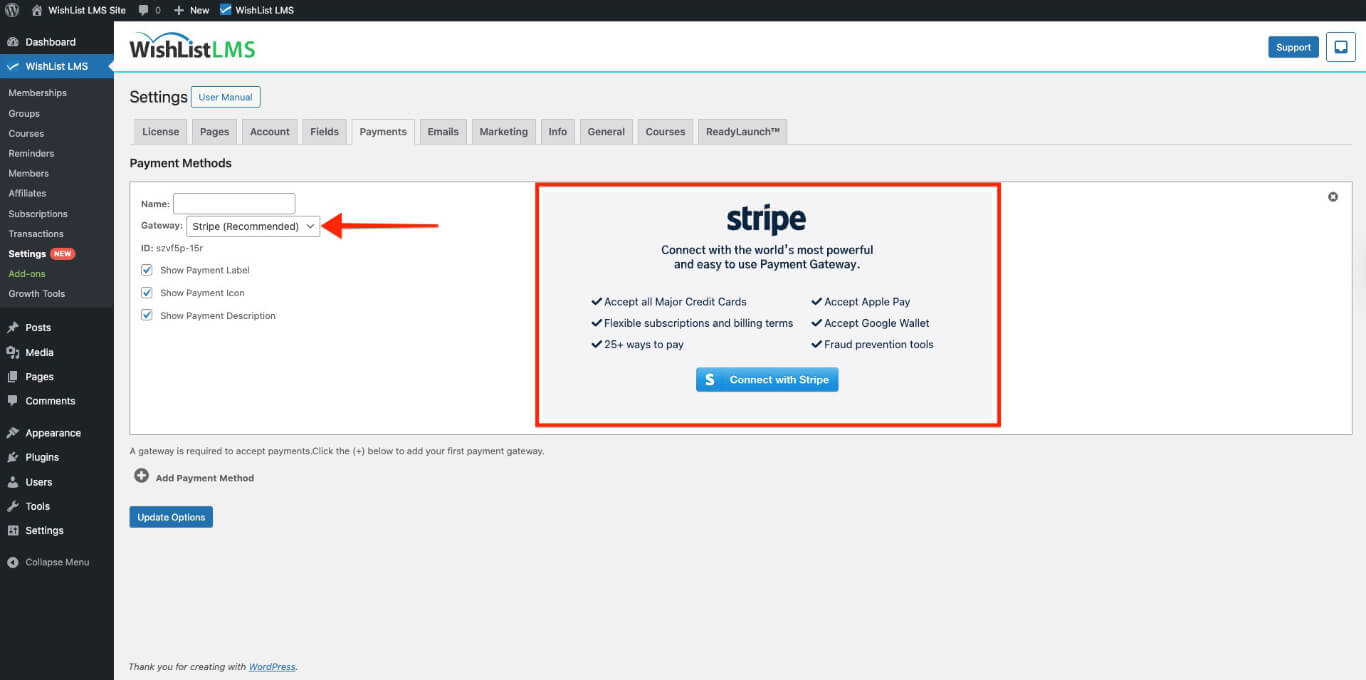
Stripe makes it easy to handle online payments. For example, it accepts credit cards, digital wallets, and international transactions. Moreover, it automatically processes payments, which saves you time. Additionally, Stripe manages subscriptions for you, making everything more convenient.
Manual Transactions
Manual transactions allow you to manage subscriptions without using a payment gateway. This way, you have complete control over billing. For instance, they are useful for free memberships, special promotions, and manually managing subscriptions.
Moreover, they can also be handy for testing purposes. You can easily create manual transactions right in the WishList LMS admin area, and the best part is that you won’t need to process any user payments.
Authorize Net Integration
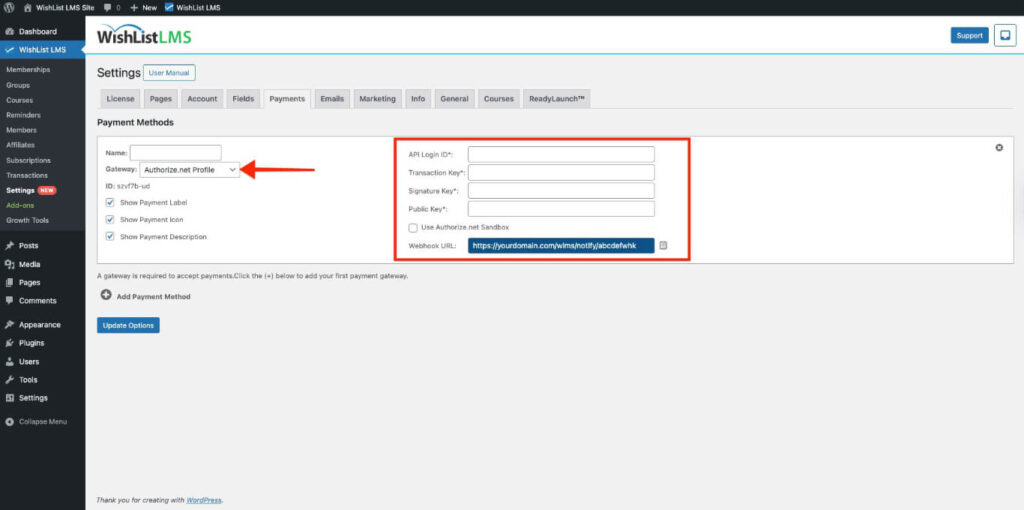
Authorize.Net Profile helps you process credit card payments securely. Additionally, it offers advanced fraud detection features and options for recurring billing. This way, you can manage transactions safely and effectively.
Manual Transactions
Manual transactions allow you to manage subscriptions without using a payment gateway. This way, you have complete control over billing. For instance, they are useful for free memberships, special promotions, and manually managing subscriptions.
Moreover, they can also be handy for testing purposes. You can easily create manual transactions right in the WishList LMS admin area, and the best part is that you won’t need to process any user payments.