
O Geral tab in the WishList LMS Settings is important because it helps you manage language, themes, SEO, security, and admin options. Properly configuring these settings can enhance your site’s visibility on search engines. Additionally, it can boost security and improve the overall user experience.
This document explains how to set up the General tab in WishList LMS. Further, it describes how these settings affect your website.
Accessing and Understanding the General Tab Settings
This section explains where to find the general tab and what settings it has.
To reach the General tab:
- Navigate to your Painel de controle > WishList LMS > Configurações.
- Click on the Geral tab.
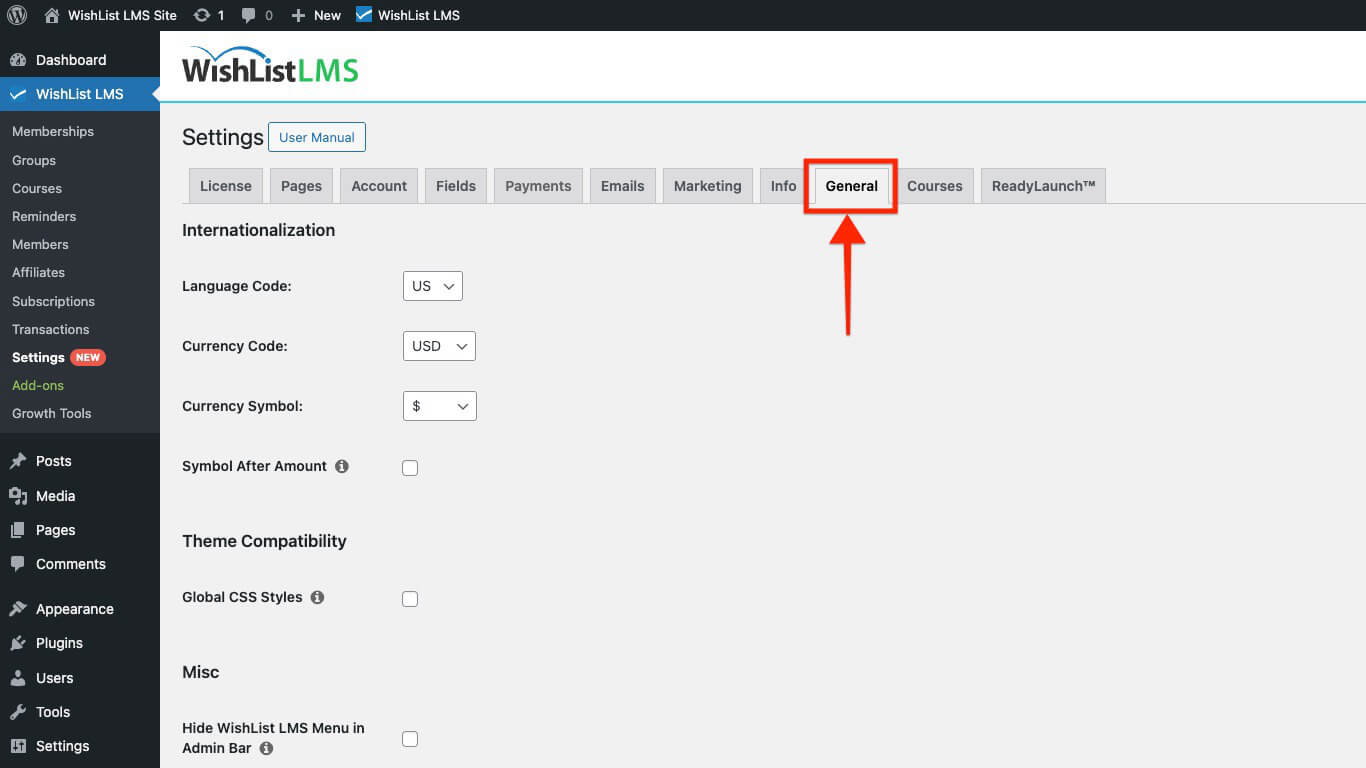
The General tab contains several sections to configure.
Internationalization Settings
The Internationalization section allows you to select the language and currency for your membership site. This helps you effectively reach a global audience.
- Language Code: The Language Code setting allows you to select the language for WishList LMS on your site. To begin with, simply choose your preferred language from the options available.
- Currency Code: This setting sets the currency used for all transactions and prices in WishList LMS. Choose the currency that matches your location or target market.
- Currency Symbol: The currency symbol appears on registration pages, account pages, and receipts. So, be sure to choose the symbol that matches your currency.
- Symbol After Amount: This option determines where the currency symbol appears in relation to the price. For example, it can be placed before or after the price, which helps clarify the amount. Additionally, making this choice can enhance the overall presentation of your pricing.
Check this option if your country’s prices show the symbol after the amount, like ‘5.00$’. Leave it unchecked if the symbol comes before the amount, like ‘$5.00’.
Theme Compatibility Settings
This section will show you how to improve WishList LMS integration with your theme. You can enable the Global CSS styling, which will help enhance the overall appearance.
- Global CSS Styles: This setting ensures WishList LMS CSS styles load on your site’s frontend during theme compatibility issues.
SEO and PayWall
The SEO and PayWall section controls how search engines interact with protected content. These options help balance content indexing with membership monetization.
- Authorize Search Engines: Allows search engine bots to index protected content while blocking regular visitors.
- Block Search Engines: Prevents search engines from indexing protected content entirely.
- Enable PayWall: Shows a PayWall message on protected pages while keeping content indexable for search engines.
Miscellaneous Settings
This section discusses LMS settings. You can choose to hide the admin menu. Additionally, you can turn on search protection for the REST API.
- Hide WishList LMS Menu in Admin Bar: This option controls whether WishList LMS menu items appear in the WordPress admin bar. Disable this to remove menu items from the admin bar for a cleaner interface.
- Enable WP Rest API Search Discovery Protection: This feature protects your WordPress REST API from brute-force attacks.
Card Testing Protection
This section explains the Card Testing Protection feature. Also, it explains how to prevent fraud by blocking users after a certain number of failed credit card attempts, adding an important layer of security.
- Enable Card Testing Protection: Card testing is a type of fraud. Essentially, it involves criminals using stolen credit card information to make small purchases. This helps them verify whether the card details are valid. Therefore, it’s important to protect against this practice to keep transactions secure. Stripe offers solutions to prevent both card testing and fraudulent sign-ups.
Weekly Summary Email
WishList LMS sends a weekly summary email to site administrators by default. This email includes key statistics about new members, transactions, and revenue.
- Disable Weekly Summary Email: Enable this option to stop the weekly summary email delivery.
Rewrite Rules
WishList LMS automatically updates WordPress rewrite rules to support membership registration and pricing pages. Disable this option only for specific troubleshooting scenarios.
- Disable Rewrite Rules: Prevents WishList LMS from flushing rewrite rules automatically.
Background Jobs
Background jobs handle time-consuming tasks without slowing down your website. The asynchronous email option processes outgoing email separately from user actions.
- Asynchronous Emails: Processes WishList LMS emails in the background to reduce page load times.
Automatic Updates
Automatic updates keep WishList LMS current with the latest features and security patches. Configure update behavior based on your site management preferences.
- Enable Automatic Updates: Applies WishList LMS plugin updates automatically when new versions become available.
- Enable Automatic Add-on Updates: Extends automatic updates to all installed WishList LMS add-ons.
Usage Data and Announcements
This section manages announcements visibility and optional usage data sharing.
- Hide Announcements: You can hide announcements by turning on this option. Consequently, all notifications from WishList LMS will be hidden. Also, you can control the visibility of these notifications from your WordPress Dashboard.
- Help Improve WishList LMS by Sending Usage Data: Enables anonymous usage data sharing to help improve the plugin. No personal or member data gets transmitted.