
BLIK is a quick and easy way for people in Poland to pay online using their bank accounts.
The WishList LMS works with Stripe to accept BLIK payments. Therefore, this guide explains how to set it up and provides details about BLIK payments.
Receiving Payments With BLIK
First, enable BLIK in your Stripe Dashboard before activating it in WishList LMS:
- Log in to your Stripe Dashboard.
- Ir para Settings > Payment Methods.
- Locate BLIK and click Ligar.
- Complete any verification steps Stripe requires.
Next, activate the option in WishList LMS:
Ensure that you meet the following requirements when configuring BLIK payments.
- Your website has a working SSL certificate for safe payments;
- Stripe account linked to bank;
- Ensure that you connect Stripe to WishList LMS before using BLIK.
- Test the connection between Stripe and WishList LMS to verify everything is working correctly.
- After setting up Stripe account, enable BLIK as a payment method within WishList LMS > Settings > Payments tab. Check the setup details in the “How To Enable Payment Methods With Stripe and WishList LMS” document.
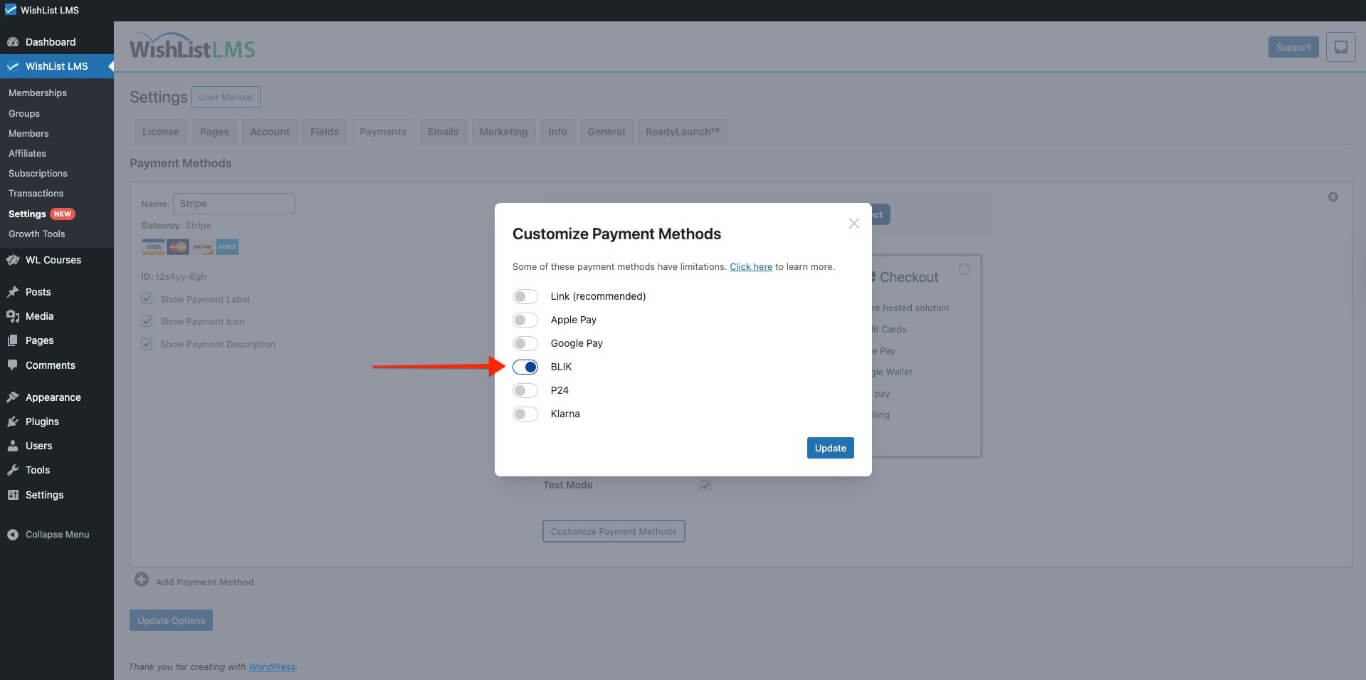
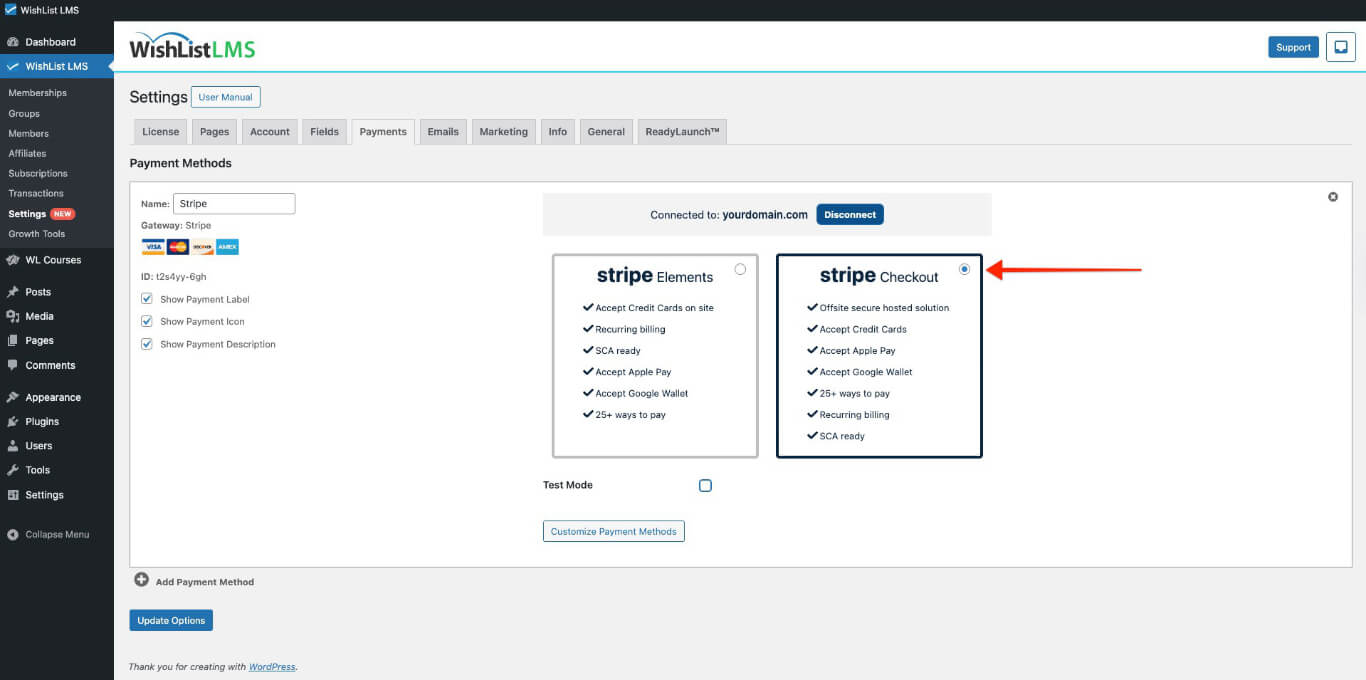
Once you turn on BLIK payment method, you’ll see it as a payment option on your registration forms. It will only be available with Stripe Checkout.
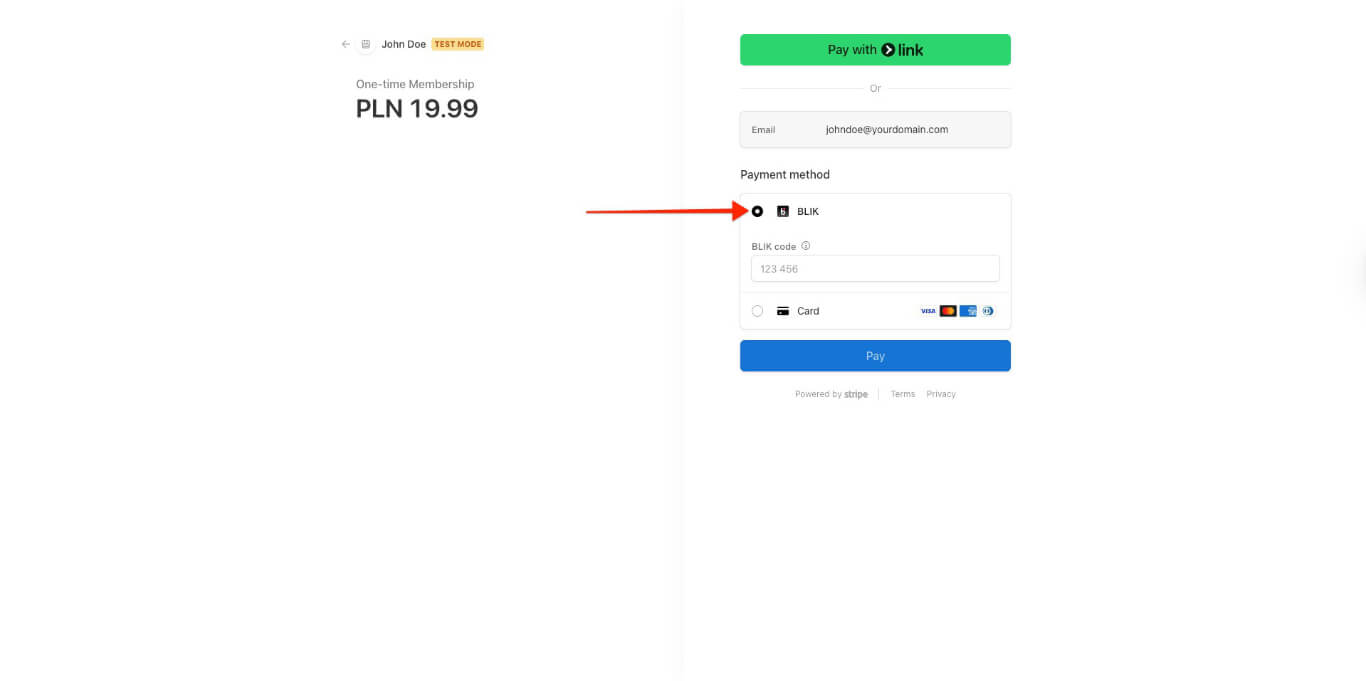
When users register, they will need to enter a six-digit BLIK code from their bank app to authorize payment.
What’s Important to Know About Using BLIK?
The BLIK payment option will only appear if all conditions are met, due to limitations from BLIK or Stripe.
Firstly, users can only use BLIK for one-time payments, not for recurring ones. Therefore, you won’t see it on pages for memberships that renew automatically. Also, BLIK can’t be used for payments that are delayed or for free or trial memberships.
Next, as mentioned before, BLIK won’t show up as a payment option on the Stripe Elements form. Instead, turn on Stripe Checkout in your WishList LMS settings (Dashboard > WishList LMS > Settings > Payments > Stripe Gateway).
Further, BLIK lets users pay directly from their Polish bank account and requires the bank app to work. It uses Polish Zloty (PLN). To use BLIK, set the currency to PLN in the WishList LMS > Settings > Geral tab.
Supported Countries
Configure your merchant location to align with BLIK-supported regions in your WishList LMS > Settings > Informações tab. The following European countries qualify for BLIK payment processing:
Austria, Belgium, Bulgaria, Croatia, Cyprus, Czech Republic, Denmark, Estonia, Finland, France, Germany, Greece, Hungary, Iceland, Ireland, Italy, Latvia, Liechtenstein, Lithuania, Luxembourg, Malta, Netherlands, Norway, Poland, Portugal, Romania, Slovakia, Slovenia, Spain, and Sweden.
BLIK payment acceptance is restricted to customers with Polish bank accounts who possess the required mobile banking application.
For additional information, consult the BLIK payments documentation provided by Stripe.