
PromptPay is a fast payment system in Thailand, run by National ITMX and overseen by the Bank of Thailand. It allows Thai customers to pay through their banking apps.
The WishList LMS works with Stripe to accept payments through PromptPay. This guide shows how to set it up and what you need to do to start using PromptPay with Stripe and WishList LMS.
Voraussetzungen
Before setting up PromptPay, make sure you meet these requirements.
- Connect Stripe to WishList LMS on your website;
- Test the Stripe connection to verify proper functionality;
- Konfigurieren Sie die currency in WishList LMS settings zu THB;
- Set both your Stripe account country and WishList LMS country zu Thailand.
Accepting Payments With PromptPay
WishList LMS only uses PromptPay via Stripe. First, enable PromptPay in your Stripe Dashboard:
- Log in to your Stripe Dashboard.
- Gehe zu Settings > Payment Methods.
- Suchen Sie PromptPay and click Einschalten.
- Complete any verification steps Stripe requires.
Next, activate the option in WishList LMS by following these steps to turn it on:
- Navigieren Sie zu Dashboard > WishList LMS > Settings > Payments tab.
- Locate your connected Stripe gateway.
- Klicken Sie auf die Customize Payment Methods Taste.
- Schalten Sie die PromptPay Option.
- Klicken Sie auf die Update button in the pop-up to save the settings.
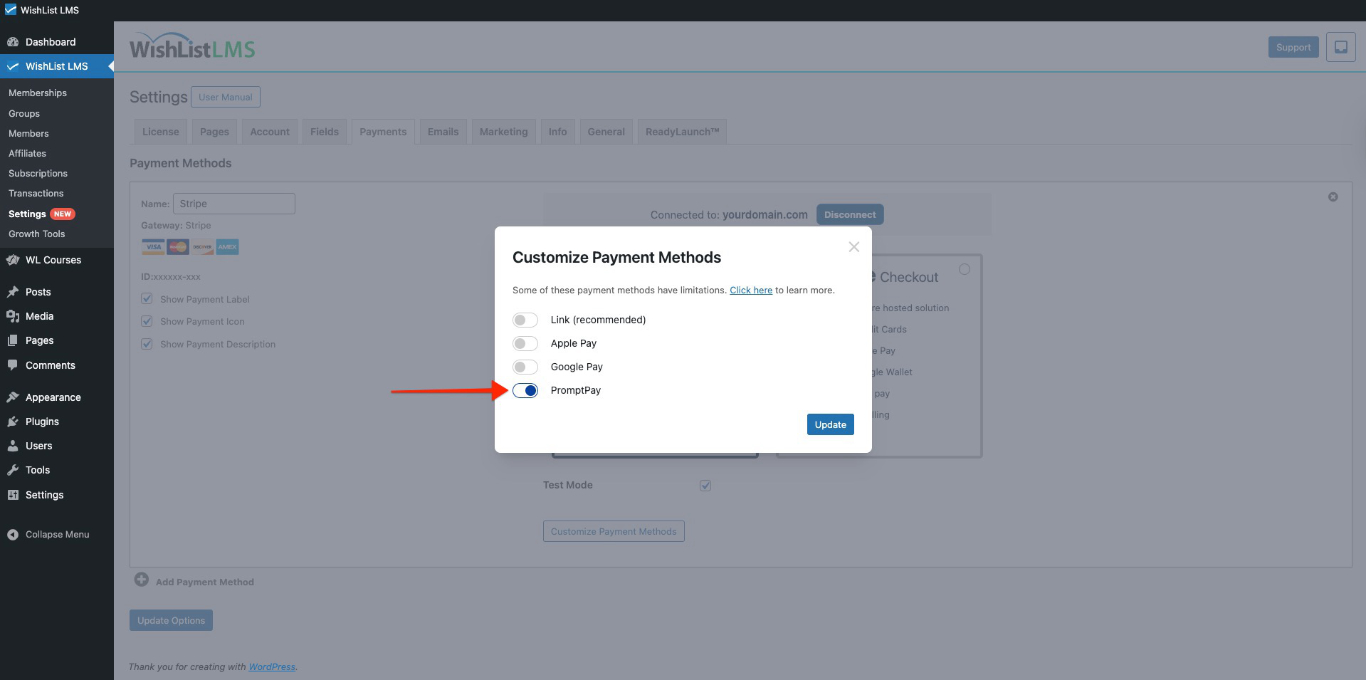
For additional details, consult the “How To Enable Payment Methods With Stripe and WishList LMS” document.
Once PromptPay is turned on, you can choose it as a payment option on the registration forms. It shows up on both Stripe Checkout and Stripe Elements forms.
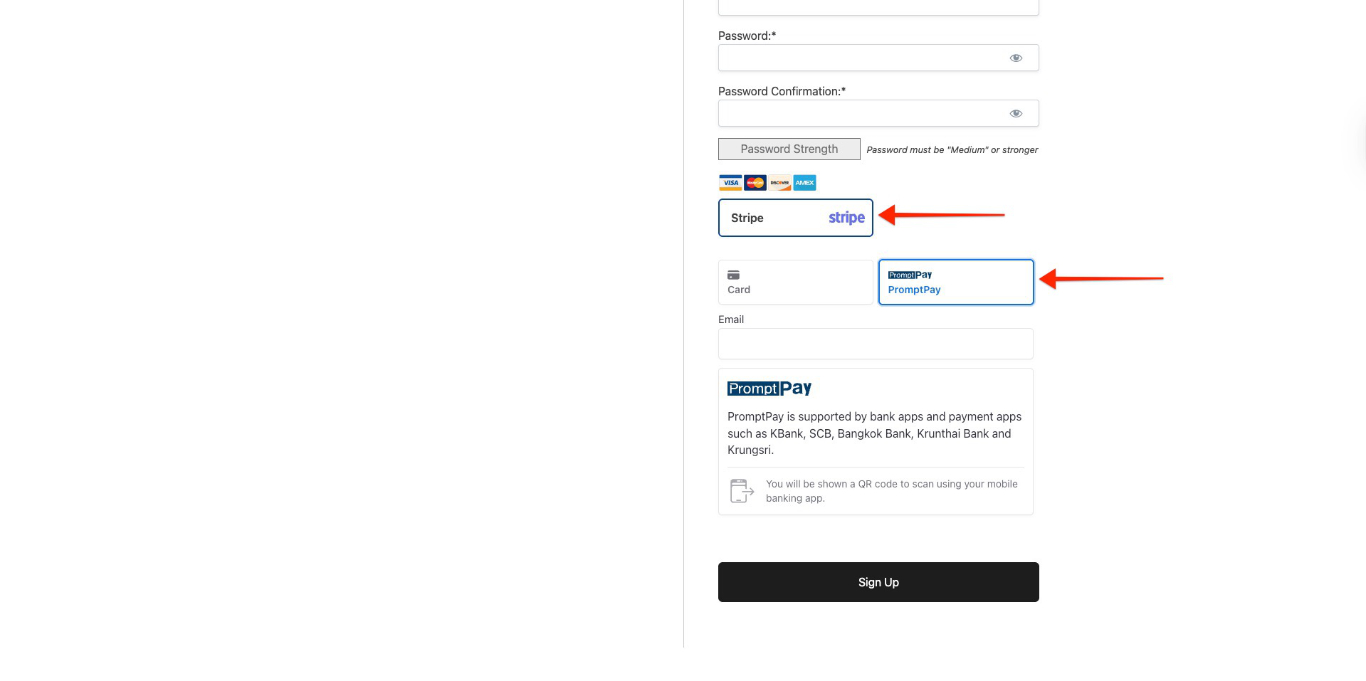
When users register, a QR code shows up. They need to scan it with a Thailand bank app to pay.
Key Things to Know About Using PromptPay
PromptPay payment option only shows up when certain conditions are met. There are also some rules from PromptPay and Stripe that must be followed.
PromptPay is only for one-time payments; therefore, you can’t use it for subscriptions or scheduled payments. Also, it’s not available for free or trial memberships.
Supported Countries and Currencies
PromptPay works in certain areas and currencies; therefore, it is important to set the currency to THB (Thai Baht) in the WishList LMS settings.
Both your Stripe account and WishList LMS settings must be set to Thailand.
Note: Check that your Stripe account country matches the one set in WishList LMS.
Additionally, for more information, see Stripe’s PromptPay payments guide.